Read it here.
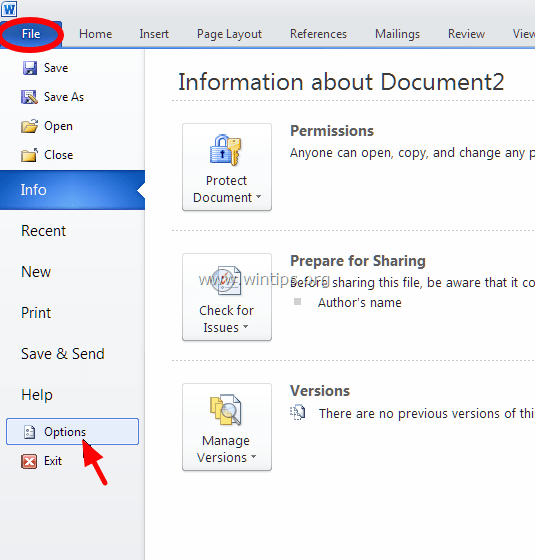
From Word's main menu (File), go to Options.
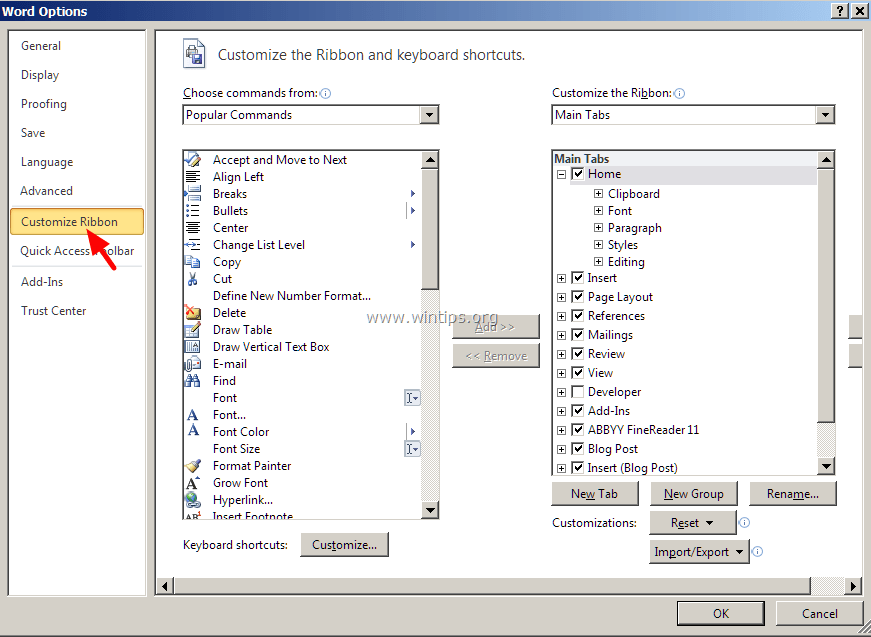
2. Choose Customize Ribbon on the left.
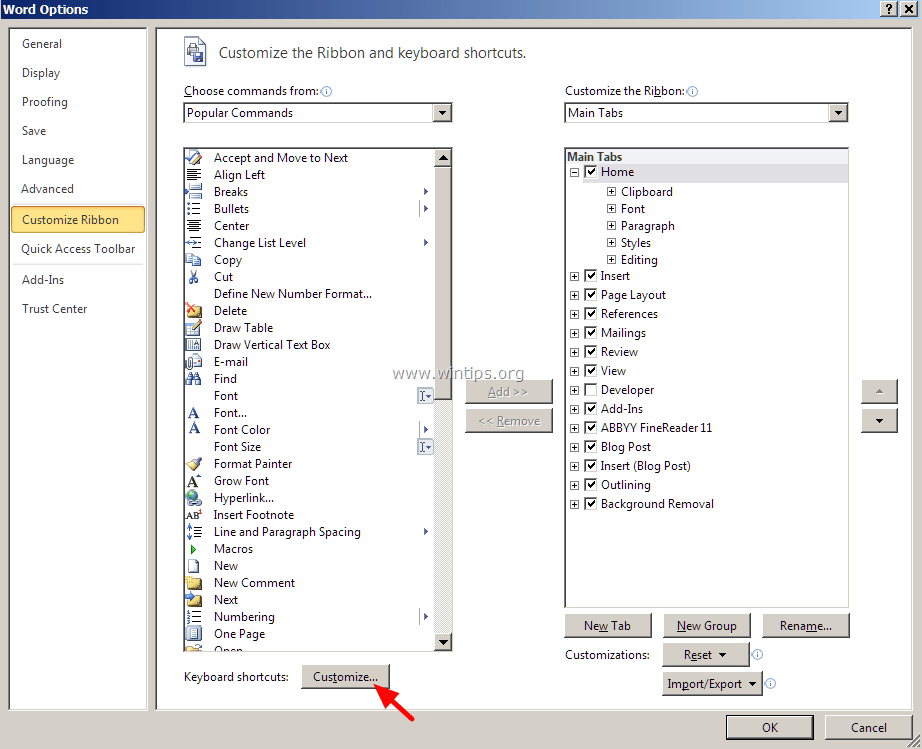
3. Then click at Customize button next to "Keyboard shortcuts".
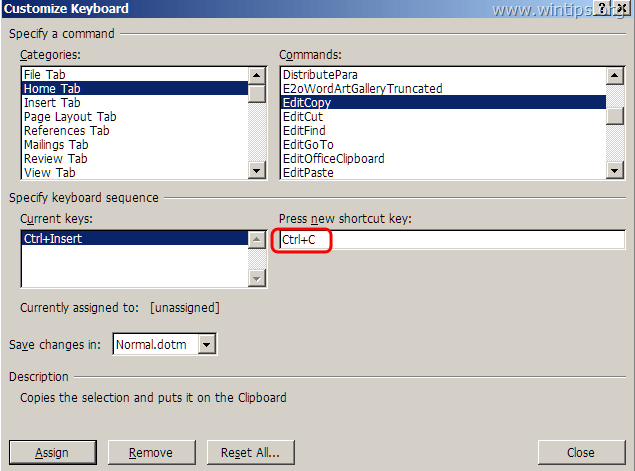
At Customize Keyboard options, choose:
- At Categories > Home Tab
- At Commands > EditCopy
- Now under Current keys you should have these two (2) shortcut keys by default:
- Ctrl+C
- Ctrl+Insert
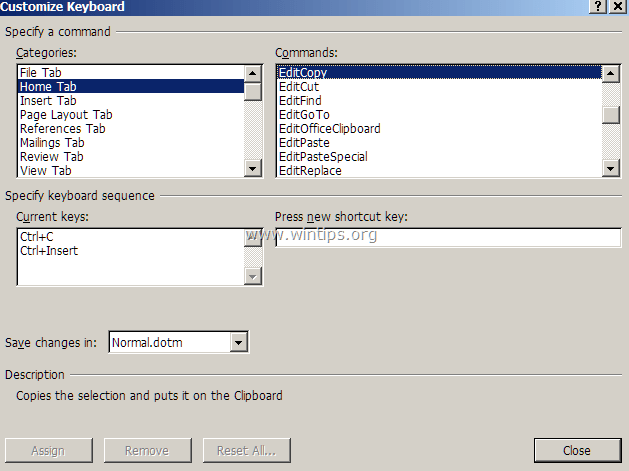 If you don't have the above two key combinations, click at the "Press new shortcut key" box & then press the corresponding combination for the missing shortcut key (e.g. "Ctrl+C") and press Enter.
 Perform the same operation for the EditCut * & EditPaste commands.*** In "EditCut" command you should have these two (2) shortcut keys by default:
- Ctrl+X
- Shift+Del


** In "EditPaste" command you should have these two (2) shortcut keys by default:
- Ctrl+V
- Shift+Insert
Comments